
How to disable automatic translation in Google Chrome?
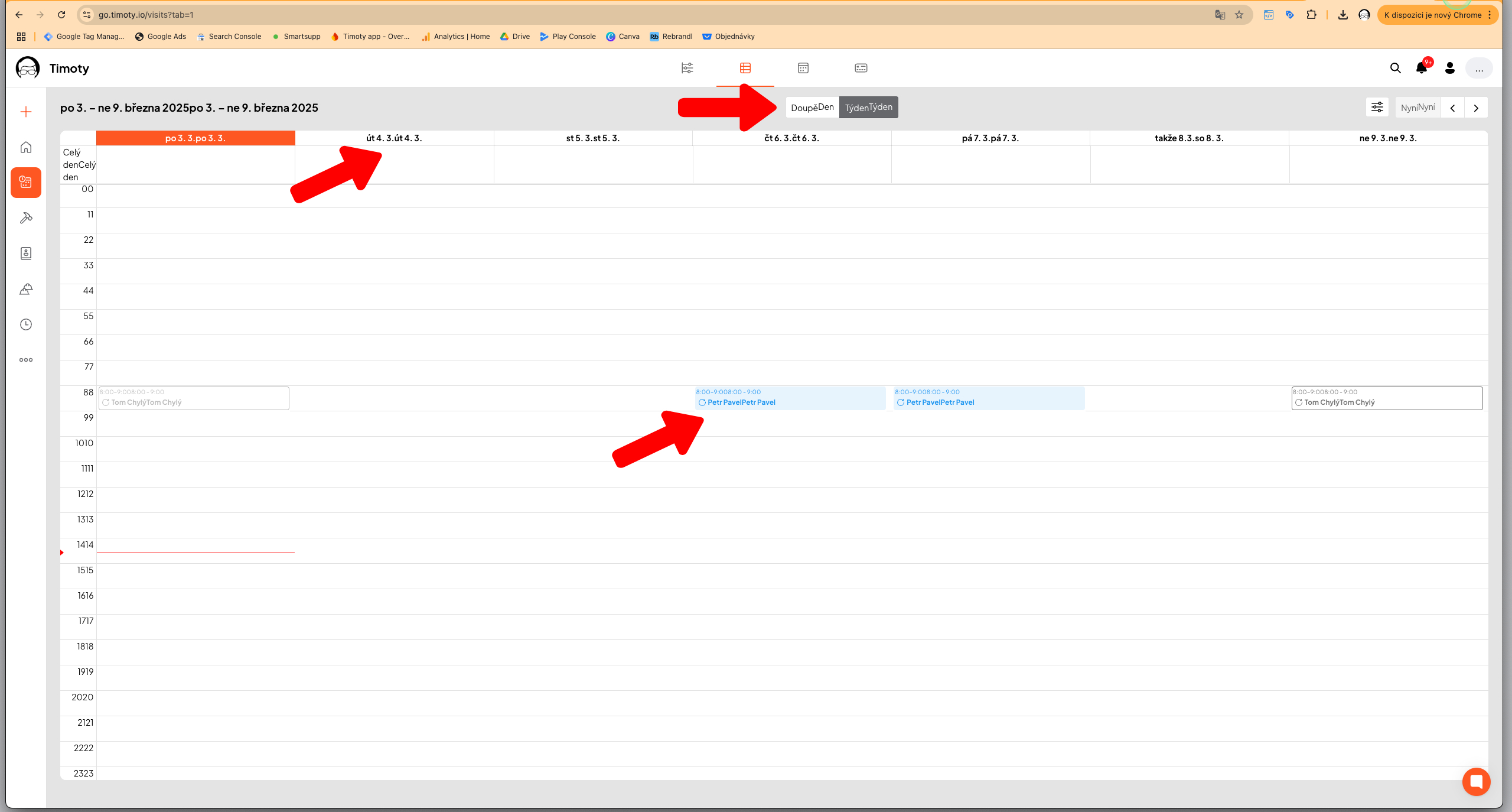
If an application in Google Chrome is not working correctly or displays incorrect or strange translations, it may be caused by automatic translation. In such a case, we recommend disabling it.
Example of Incorrect Application Display (Duplicates and Inaccurate Translations)
How to Fix This?
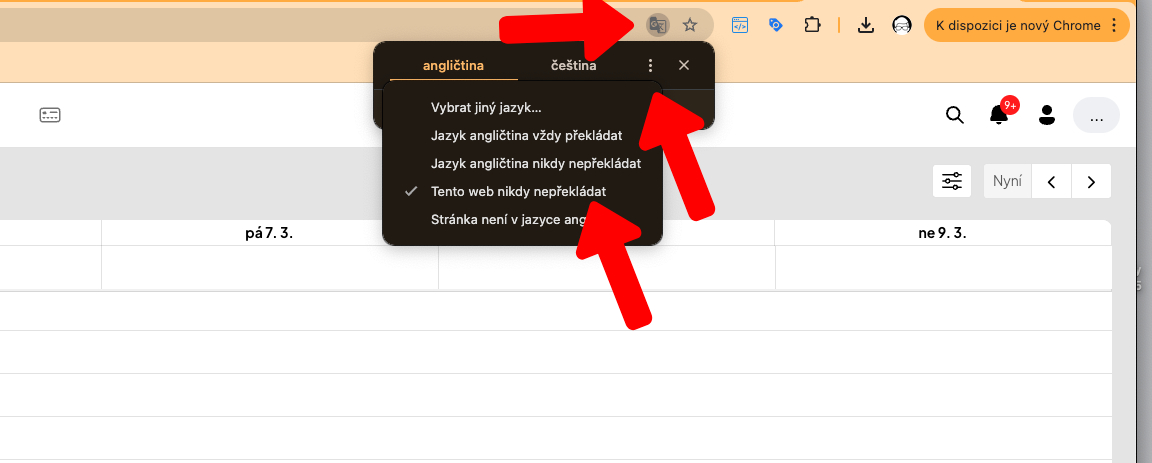
In the address bar with the URL (http://go.timoty.io), click on the translator icon on the right. Then click on the three dots and select the option “Never Translate this Website”.
Did this answer your question?
😞
😐
😁
How to disable automatic translation in Google Chrome? | Timoty