Help center
Czech
English
Slovak
All collections
How to Share Your Screen in Google Meet?
How to Share Your Screen in Google Meet?
A guide on how to share your screen in Google Meet
Copy for LLM
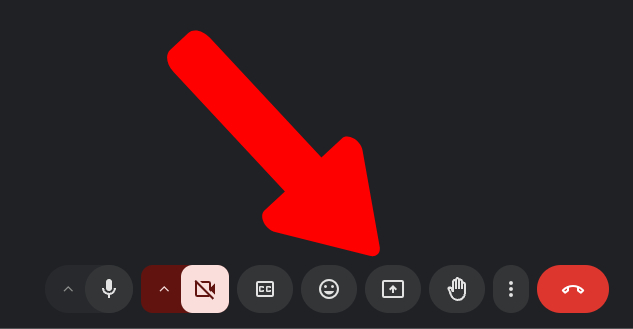
1) At the bottom of the menu, click on the “Share Screen” icon
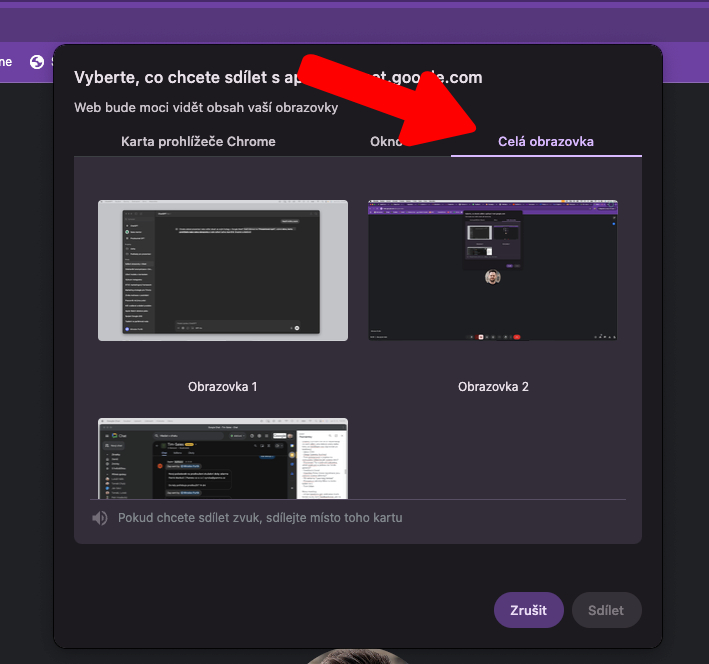
2) Click on the “Entire Screen” tab
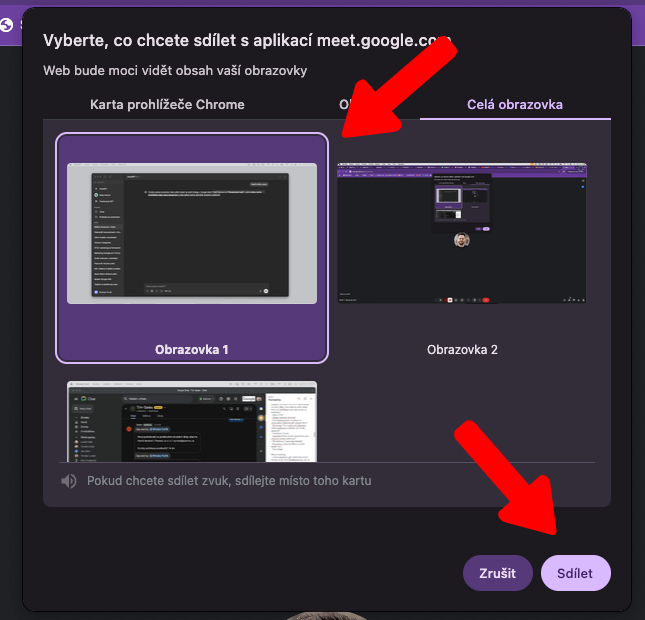
3) Select the screen you wish to share and click the “Share” button
Did this answer your question?
😞
😐
😁